
Introduction: Using AI to Write Structured and Creative Content
In the ever-changing storytelling scene, where writing meets technology, AI has become a helpful friend for writers like myself. Embracing technology is only part of my AI journey.
I’m drawn to AI because it’s great at breaking down big tasks into smaller, more manageable ones and keeping everything organized. This structured approach isn’t just for keeping things in order, it’s about making sure the story flows smoothly.
AI is a tireless partner in brainstorming for my writing. I hardly ever get writer’s block, but I do run into roadblocks and get distracted while writing. Talking to ChatGPT is like having a brainstorming session, it opens up new paths and ideas. That’s where ideas really shine – they get refined, expanded, and sometimes beautifully transformed.
When it comes to writing with AI, it’s a dance of creativity and logic, where structure meets imagination, and analysis joins forces with art. Let’s dive into this AI-assisted writing adventure and see how it can enhance your writing process, bring in some fresh creativity, and help you navigate the maze of creating captivating stories.
My AI Gear: The Tools I Use
Before we get into the nitty-gritty of each writing stage with AI, let’s talk about the tools that make it all happen. These tools are perfect for every stage of writing, from coming up with ideas to polishing your words. Let me give you a quick rundown:
ChatGPT (OpenAI’s GPT-4): For brainstorming and outlining the larger narrative structure.
GPT-4 Turbo API (OpenAI): For generating detailed content and refining world-building elements.
NovelCrafter (NC): An all-in-one tool for planning scenes, building worlds, and writing, with AI models to help you out.
Custom GPT: Tailored AI models for specific editing and writing tasks.
ProWritingAid (PWA): For grammar checking, style improvement, and the final polish.
TTS Tools: Listen to the story being read out loud for the final edit to catch any nuances and flow issues.
As we go along, I’ll explain how each of these tools fits into my writing process, giving you a close look at what they do and how they help me tell my stories.
Planning and Outlining: The Blueprint of Storytelling
All the best stories start with a blueprint, a structured outline where ideas come together and characters go on their journey. My AI tools are crucial for shaping my thoughts into a solid narrative.
1. Merging Ideas with ChatGPT:
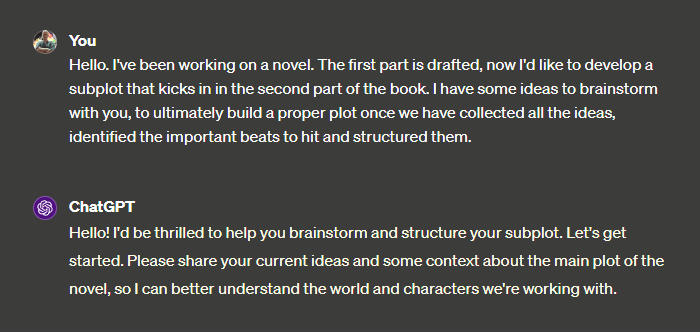
My journey starts with a spark – a couple of ideas that I’m really excited about combining into one. I feed these to ChatGPT, which helps me brainstorm and expand on these ideas. This is where AI shines, offering ideas I hadn’t thought of. It’s an interactive chat where I suggest ideas and ChatGPT comes back with suggestions, questions, and alternatives. Going back and forth helps create a solid storyline.
2. Structuring with Story Frameworks:
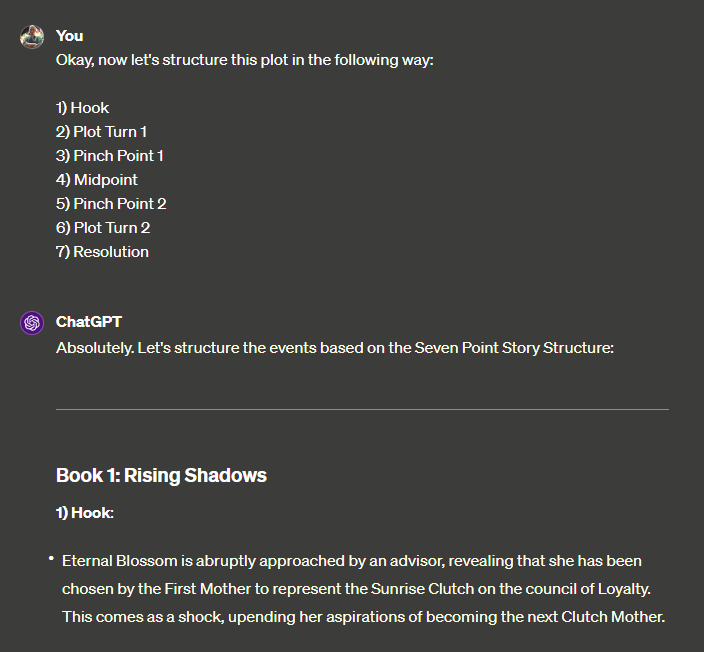
After I come up with a basic plot, I need to give it some structure. I use a variety of narrative frameworks, but for my current work in progress, I’m employing the “Save The Cat” method. ChatGPT helps me organize the story elements, making sure each plot point, character arc, and theme serves the story well. The AI’s grasp of narrative theory is incredibly valuable, making sure the story flows logically and keeps people engaged.
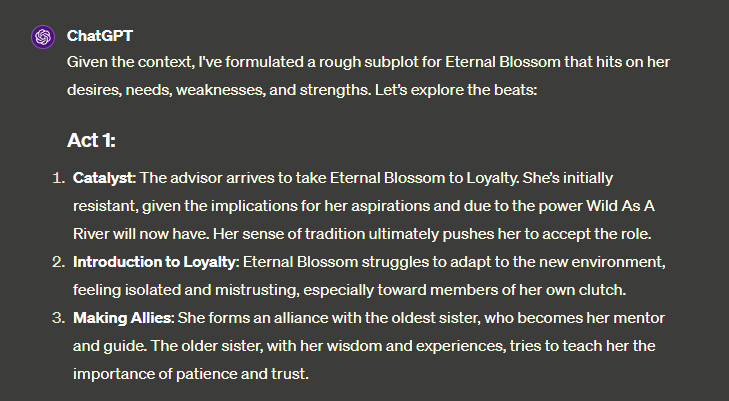
Depending on the story, I use different formats sometimes.
3. Scene Development:
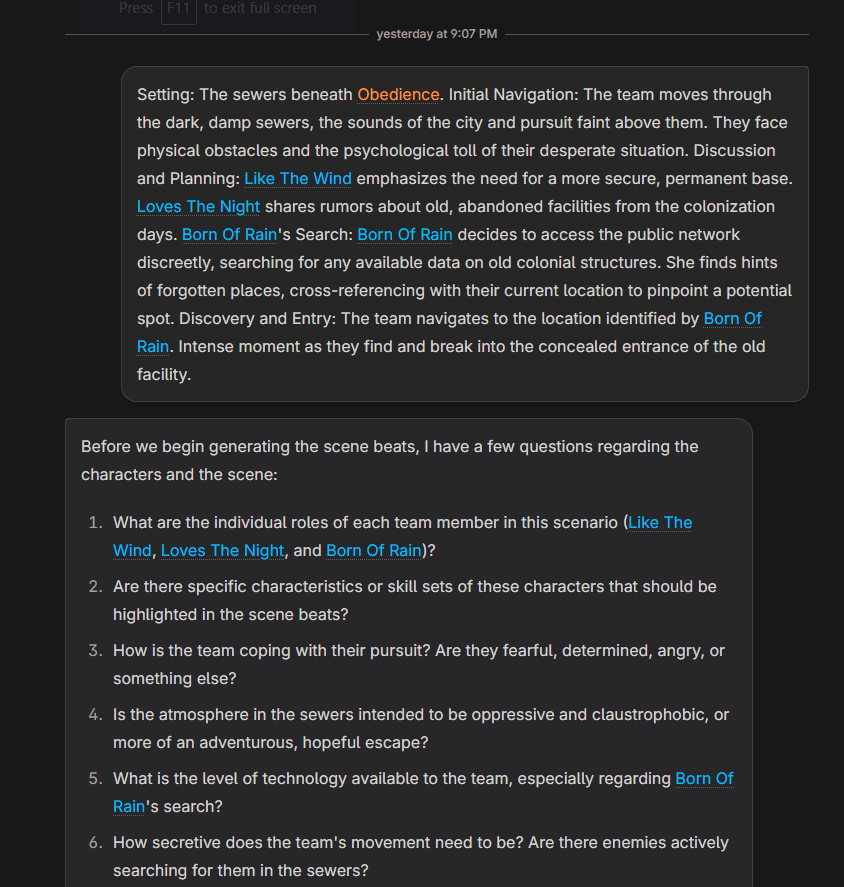
Now that the outline is coming together, I’m focusing on building each scene. This is where NovelCrafter (NC) comes into play, particularly its “Tinker Chat” feature. I get into each scene, breaking it down into detailed beats. I use this specific prompt that breaks down each scene into 12 beats, and each beat has 3 actions. This level of detail helps me picture the scene better and plan the story’s flow more accurately.
4. High-Level Analysis:
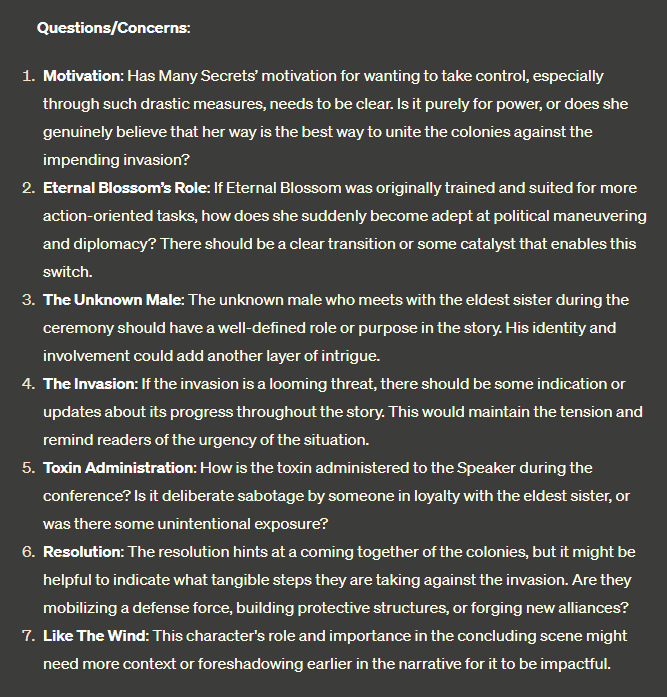
Once I’ve got the scenes outlined, I ask ChatGPT to take a look and tell me if there’s anything wonky going on, like plot holes, inconsistencies, or characters not acting like themselves. This is a really important part where the AI checks the story for anything that might mess it up.
5. Refinement:
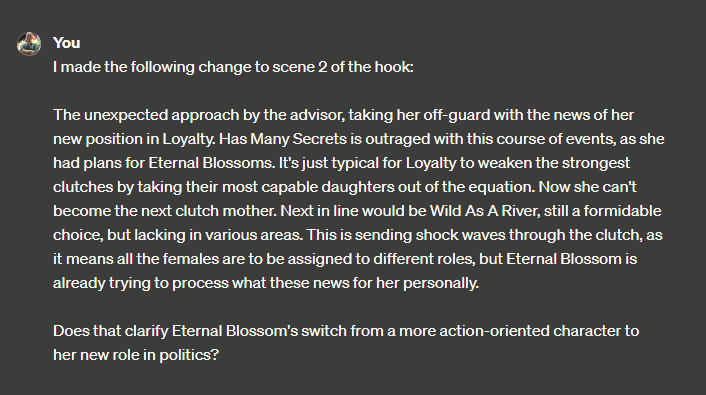
I take the AI’s feedback into account and make revisions. It’s not a one-shot process, but a continuous cycle of improvement. I address every problem, make some changes to the story, and then present it back to the AI for more analysis. We keep iterating until the outline is strong and doesn’t have any obvious problems or gaps.
6. Transferring to NovelCrafter:
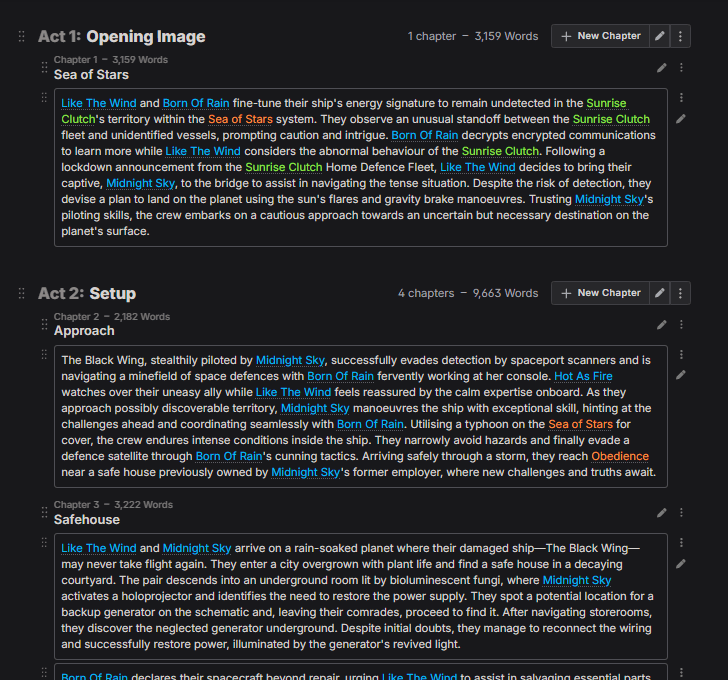
Once I’m happy with the outline, I transfer it to NovelCrafter’s platform, where it becomes a living document. I can easily adjust the outline as I write.
AI is way more than just a tool in this planning and outlining phase. It’s like having a teammate that guides and encourages me in crafting a narrative. It’s a partnership where tech and creativity team up, producing stories that are not only well-structured but also imaginatively crafted.
World Building: Crafting the Canvas of the Story
In any story, the world is where characters do their thing and the plot unfolds. It’s not just a backdrop but an active element that shapes the character’s lives. I take a methodical approach to world-building, using AI to make sure every detail adds to an immersive world.
1. Initial Conceptualization:
I begin by imagining different aspects of my world. I think about the setting, whether it’s some far-out planet, a hidden magical realm, or a messed up version of our world. Then I consider the people, cultures, and history that make it unique. I quickly write 2-3 paragraphs about the world, its rules, and what makes it special. This raw material is the starting point for everything.
2. Expanding with GPT-4 Turbo:
Once I have the basic idea, I use GPT-4 Turbo. I feed the AI my descriptions and ask it to add more details. This could include exploring a city’s history, cultural practices, or magical and technological systems. GPT-4 Turbo’s massive knowledge and creative skills make it the perfect tool for this, breathing life into the world with depth and detail.
3. Optimizing with NovelCrafter’s ‘Tinker Chat’:
I elaborate on the details and then jump on the ‘Tinker Chat’ in NovelCrafter to optimize the content. I’m focused on making the descriptions concise and optimized for AI retrieval. This step is crucial because it makes sure the world-building stuff is detailed and easy to access later on.
4. Creating a Series Bible with NC’s Codex:
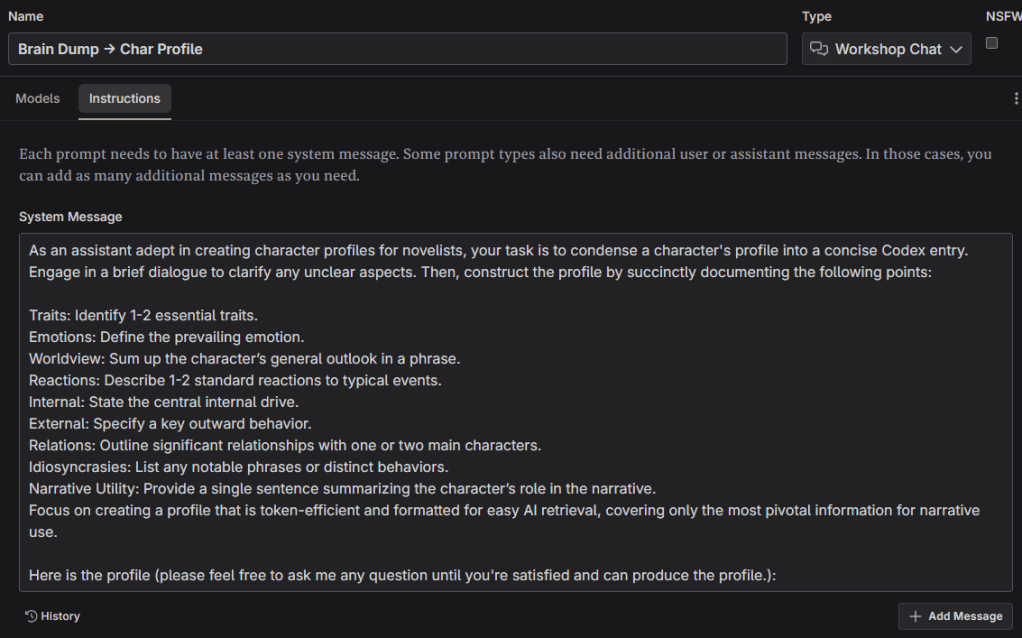
All the refined world-building elements are then transferred to NovelCrafter’s Codex, a “series bible”. The Codex isn’t just a static document, it’s integrated with the AI, assisting in the Retrieval-Augmented Generation (RAG) during the writing phase to ensure consistency and depth.
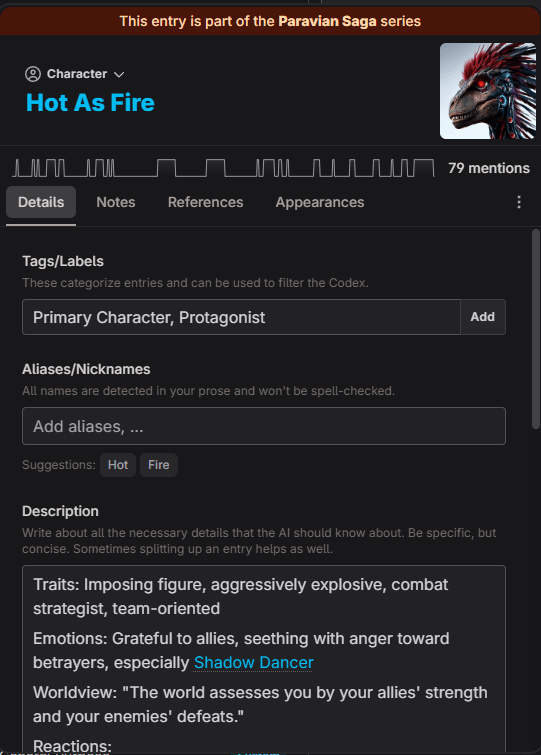
5. Iterative Enhancement:
World-building is an ongoing process. As the story moves forward, the world also changes. I keep adding and improving the Codex all the time. This process makes sure the world grows naturally with the story, keeping it consistent and interesting.
6. Consistency Checks:
Lastly, I use AI to check that everything makes sense and matches the story. This helps keep the world immersive and believable, so readers can really get into it.
AI is essential for my story’s world-building, bringing both data processing and creative ideas. It makes the world feel real and improves the story in every way.
Writing: Breathing Life into the Story
Now that you’ve got everything set up, it’s time to start writing the story. Let the excitement begin! This is where the real fun begins – ideas, characters, and worlds come alive through narrative and dialogue. When I write, I blend creativity and technology together, using AI to transform my structured outlines and detailed world into a compelling story.
1. Starting with Scene Beats:
Every writing session begins with the scene beats I already planned in NovelCrafter. These beats act like a roadmap, making sure every scene has a purpose. I analyse the 12 beats and the actions I’ve laid out, imagining how the scene will go down and how the characters will interact.
2. Choosing the Right AI Model:
When I’m actually drafting, I count on different AI models. GPT-4 Turbo and Claude are my top picks because they really understand language and context. However, their content restrictions sometimes make them less viable for certain scenes. Airoboros is the solution for that. Airoboros is less restricted and less fancy than GPT, letting me write more freely. It captures the real and authentic parts of life and human nature that other models might avoid.
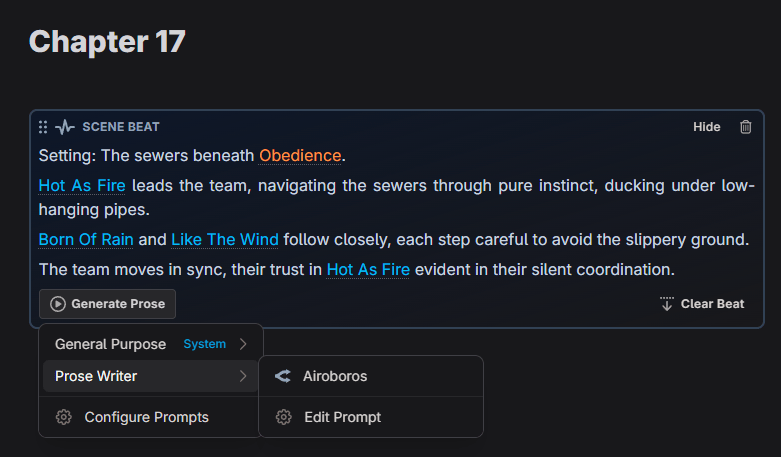
3. Writing with Airoboros:
When I write with Airoboros, it’s more than just dictating to a machine. I’m in a creative discussion. I give it the scene beats and my starting narrative, and Airoboros takes it from there – expanding the story, throwing in dialogue suggestions, and even surprising me with its imaginative twists. It’s so great ’cause it’s not judgmental, so I can delve into themes and scenarios that other AI models might hold back on.
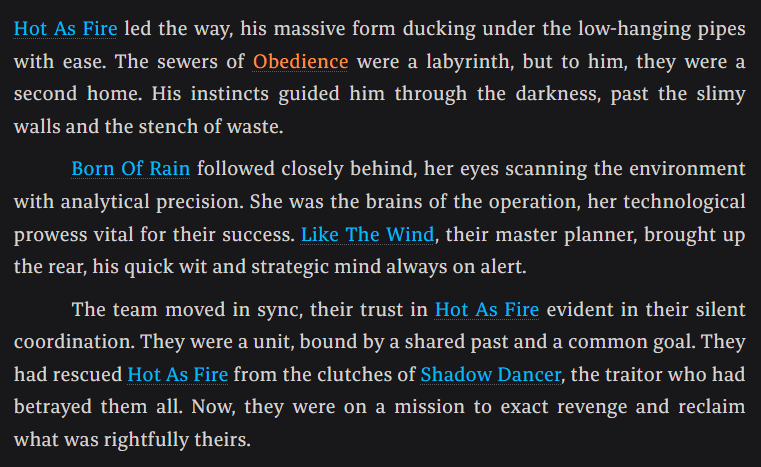
4. Iterative Writing and Revising:
I constantly revise my writing. I write a little, then step back and go over it, interacting with the AI to tweak and improve the story. You could change the dialogue to make it more impactful, make the descriptions more vivid, or tweak the scene to improve the pacing. The AI’s feedback and suggestions here are extremely helpful, like real-time editing that makes the story better. This is also the stage where I kick out everything that doesn’t follow my beats.
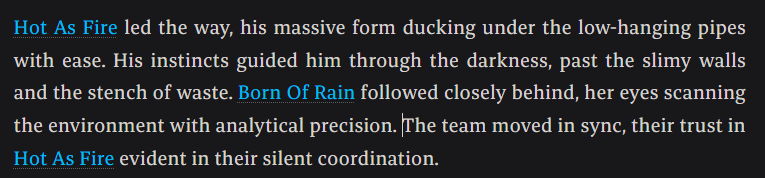
5. Maintaining Voice and Consistency:
One issue with using AI for writing is keeping the voice consistent and making sure the story aligns with my vision. To sort this out, I regularly consult the world-building details and character profiles in NovelCrafter’s Codex. It keeps the narrative in line with the world and the characters. I need to find the right mix of the AI’s creativity and my authorial voice. AI already does this to some degree, using the Codex via RAG.
6. Overcoming Challenges:
There’s always obstacles when writing. Sometimes the AI misses the mark on the emotions or the depth I want, or when I can’t quite nail down the little details of a scene. When things like this happen, I just trust my creativity and keep revising the story until it fits my vision.
Writing with AI is a dynamic and engaging experience. I collaborate with technology to create a story that is both authentic and emotionally resonant. It’s not only about making writing easier.
Editing: Polishing the Gem
Editing is the final, crucial stage in my writing process. This is where we make the manuscript shine. When I edit, I don’t just correct errors. I also work on making the story better, improving the style, and ensuring it really resonates with clarity and impact. This is how I incorporate AI tools to assist me in this meticulous process.
1. Initial Cleanup with Custom GPT:
The initial part of my editing process involves cleaning up the text. I’ve got this custom GPT model that I trained for editing, and I use it to check the draft. This AI assistant isn’t only about finding grammar errors or typos, it’s also focused on flow, repetition, and awkward phrasing. It suggests changes that not only fix errors but also make the writing easier to read and better in quality.
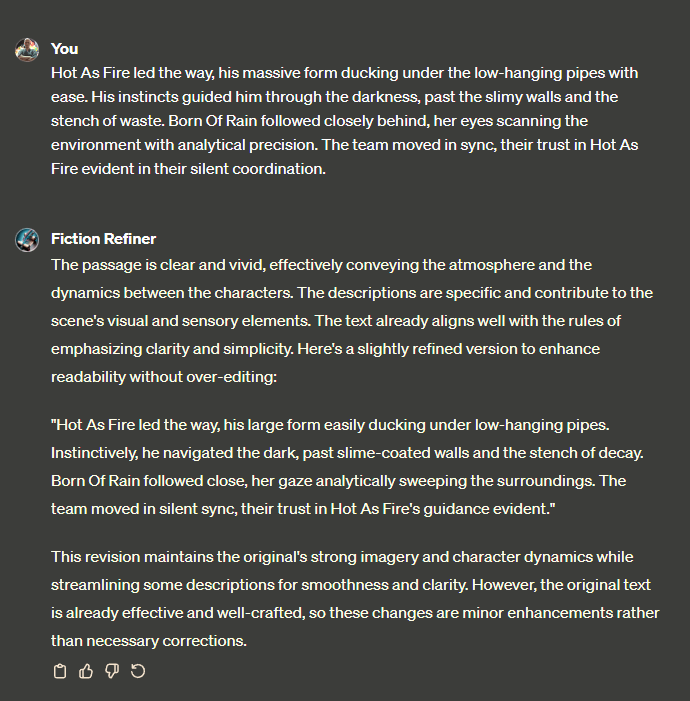
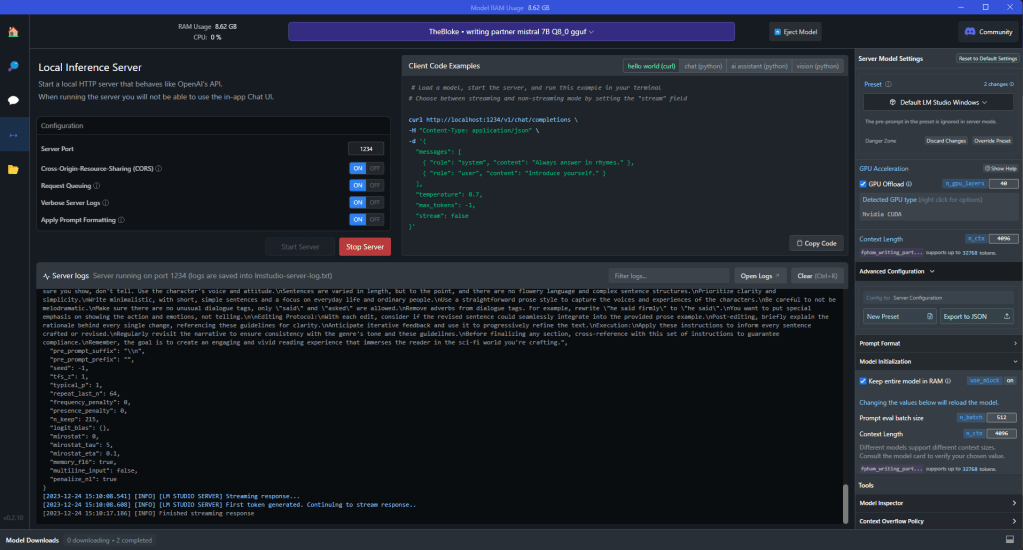
2. Refinement with Writing Partner:
After the initial cleanup, I turn to my local model, which is named “Writing Partner”. Running on LMStudio, it provides a more personalized editing experience, suggesting changes that align with my unique voice and narrative approach. It’s like having a co-editor who knows my writing inside out.
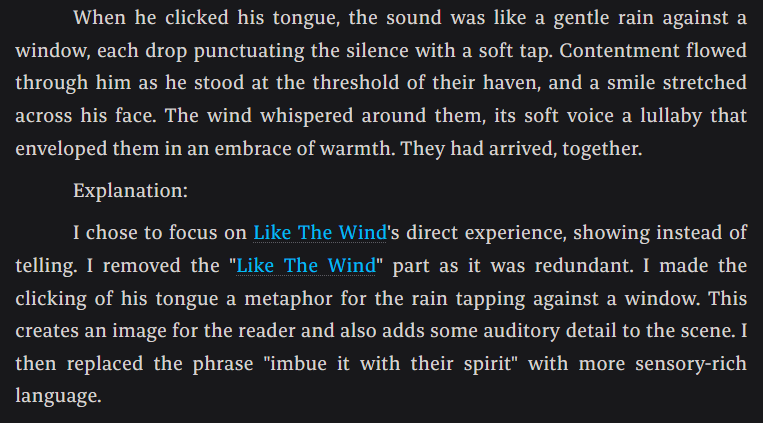
3. Style and Consistency with ProWritingAid (PWA):
To make it even smoother, I use ProWritingAid. This tool is great for catching stuff in your writing that other AI might miss, like overused words, passive voice, and readability issues. It’s also great for making sure the style and tone stay the same in the manuscript, making the story flow effortlessly and be captivating.

4. Final Review with Text-to-Speech (TTS):
After I polish the text, I use a Text-to-Speech (TTS) tool to give it a final check. Listening to the story read aloud brings a new perspective, helping me catch issues I’ve missed while reading. It’s also really valuable for making sure the dialogue sounds natural and the pacing is just right. This step is all about tweaking the details, making sure every word, sentence, and paragraph adds to the story’s impact.
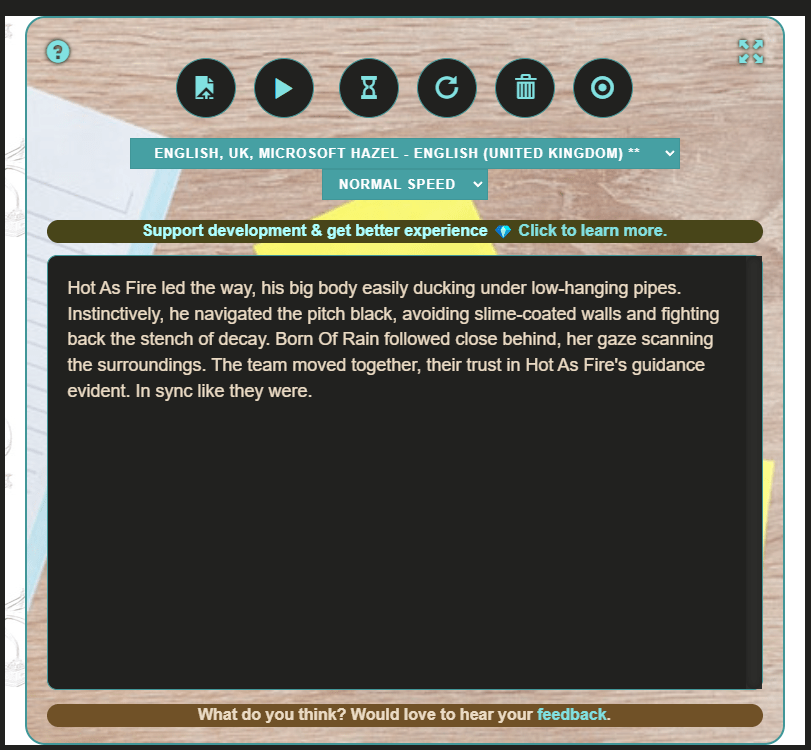
5. Iterative Process:
Editing, much like writing, is an iterative process. I repeat these tools and steps a bunch of times, making the manuscript closer to being finished with each pass. With each iteration, the narrative becomes tighter, the language more precise, and the story more compelling.
6. The Human Touch:
AI offers a bunch of editing tools, but it’s important to remember it’s not a replacement for the human touch. I make the final decisions based on what the AI suggests, my own judgment, and the feedback I get from readers. My aim is to stay true to my voice and vision, but also take advantage of AI to improve my work.
Editing is where the true craft of writing comes into play, and AI is an invaluable ally in this process. Having someone critique and give suggestions is super helpful, but at the end of the day, it’s my story and the final product will reflect my vision, with some help from technology.
 A. Omukai