
Introduction:
In my attempts to speed up my writing process, I tried to tweak GPT 3.5 Turbo for prose writing. I’d choose a paragraph from my novel, give it to GPT-4 Turbo, and ask it to come up with a beat. Then, I’d train 3.5 to turn that beat into my prose.
But while the result sounded exactly like me, there were other problems. It would often only write 50-80 words, and sometimes it would throw my beats back at me or read the scene in reverse and repeat certain parts exactly. Sometimes, it would go crazy and write this random story about fire elementals and other weird stuff.
I tried it six times, going from 750-word beats to just 100. Nothing worked out. If you change the temperature to anything other than 0.5 and mess with any of the other settings, it’ll just make things worse (yes, that’s possible).
So I was thinking, maybe I can approach the problem from a different angle.
Lately, I’d been editing the Airoboros-generated prose with a local model called Writing Partner, but it was a slow and tedious process, because I still had to rewrite everything to match the tone and voice. It worked, even though I had to retry a few times until it did what I wanted — not a big deal, just took time and left some stuff for later.
GPT 3.5 turbo usually does a good job with prompts. It knows how to use RAG, and it’s lightning fast. It won’t break the bank. Not as cheap as open source models, but still okay. So here’s what I was thinking: I’d train a model on my novels, but instead of using it to generate the prose (which caused the problems I mentioned earlier), I’d give rephrasing a shot. And would you believe it? It works. It removes all the flowery language and odd dialogue tags, and it rewrites each paragraph in my own style. Of course, there are still a couple of things that aren’t quite perfect. Since GPT only sees the section I mark for a rephrase, it doesn’t have any other context to rely on, but that’s okay, we can fix that later, and the best part is it doesn’t glitch out anymore. Not in the slightest. So with the words of the wise Borat: “Great success! ”
Now I’ll show you how to do this.
What you need:
A text editor (like Notepad, Notepad++, VSCode, Sublime, Atom, etc.)
An OpenAI API account
A subscription for ChatGPT Plus
A NovelCrafter account
OR python knowledge. If you’re familiar with Python, this guide will make it really obvious which steps you can skip, but I’m writing it for everyone to understand.
Walkthrough:
You can approach training data for fine-tuning GPT 3.5 Turbo in various ways. You obviously need prose. Once you’re ready to fine-tune a model to your liking, you should have written at least one full novel already, which should do the trick.
Here’s what a training set for GPT looks like:
system message, user message, assistant message
It should follow this format:
{“messages”: [{“role”: “system”, “content”: “here’s your prompt, for example: You are an expert copy editor. When given prose, return copy edited prose that stays within the style of A. Omukai.\n”}, {“role”: “user”, “content”: “Scene beat:\n here’s the beat (more on how to get one later), which looks like this: Jake gazes out of the digital view port, observing the curvature of Saturn’s moon Titan. The thick layer of gas makes it difficult to see any movement. Suddenly, a signal flares up in his comm module, signaling that the car will detach from the station’s airlock in ten seconds. Jake grabs the handlebars, reflecting on the many eternities he has experienced in the past five years. This will be his final mission to the underground complex deep inside the moon’s ice.”}, {“role”: “assistant”, “content”: “here’s your prose, which looks like this: The outlook through the window was really a digital view port that showed the outside in real-time, and the curvature of Saturn\u2019s moon Titan was clearly visible from their high vantage point, at the end of the elevator. Jake stared at the drifting clouds, barely able to make out more than vague signs of movement, yellow against a yellow background. Neither his eyes nor the external cameras penetrated the thick layer of gas, more similar to a soup than to Earth\u2019s atmosphere.\n\nWhen the signal flared up in the comm module of his system, he grabbed the handlebars attached to the wall. Still, ten seconds until the car would detach from the station\u2019s airlock, an eternity. How many of these eternities had he experienced in the past five years? This would be his last trip to the underground complex deep inside the ice of the moon. One last mission.\n\n”}]}

This looks like it’s going to be a real pain. Because it is. What I did was create a Custom GPT (you’ll need ChatGPT Plus for this) and filled it in on my intentions.
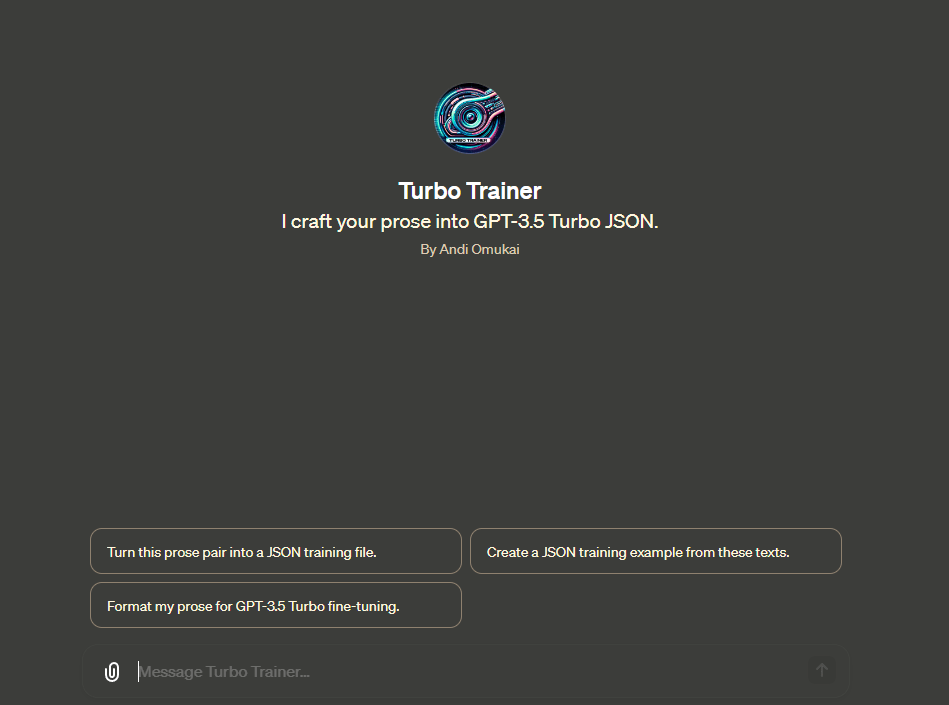
Tell it to “Make a JSON file for GPT 3.5 Turbo training with system, user, and assistant messages. the system message would be “You are an expert copy editor. When given prose, return copy edited prose that stays within the style of A. Omukai.” The user message would be rewritten in GPT’s style, and the assistant message would be a paragraph from my novel.”
This thing helps me make AI-generated text sound like I wrote it.
Now we need these 2 samples, and for that, I used the Tinker Chat (you’ll need a NovelCrafter account for this).
I cloned the system prompt and replaced it with “You are a sci-fi writer. Read the paragraph and rewrite it in your own style.”

Then I’d put a paragraph from my book in, and it would give me a rewritten passage in the AI’s native style.
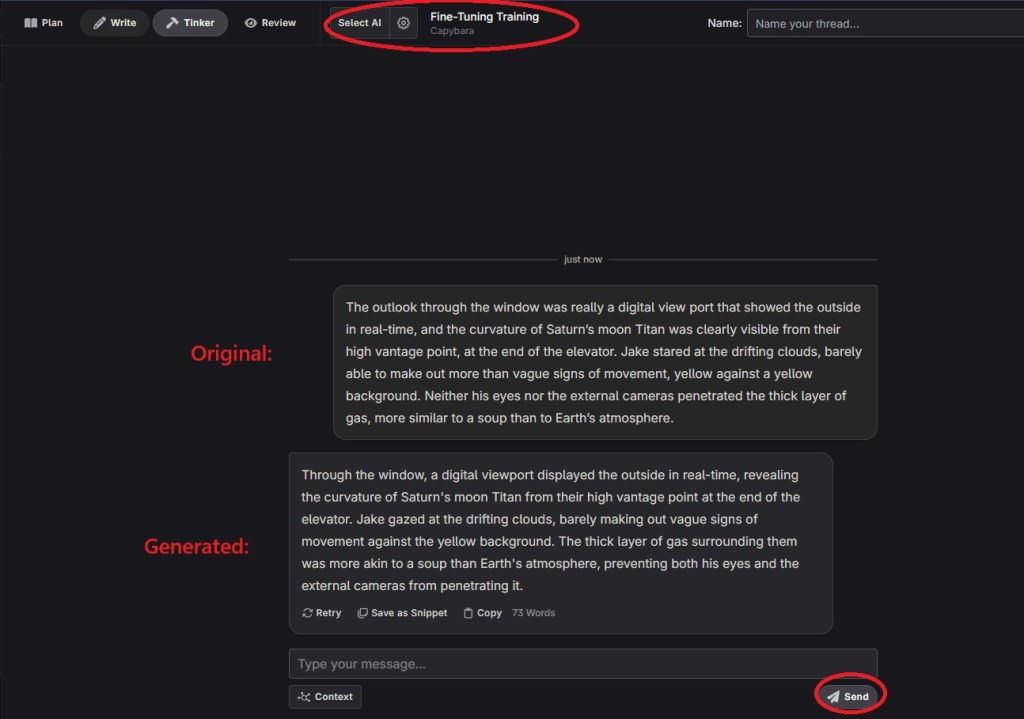
This is how we get our samples to convert.
Now you just paste both into the Custom GPT, and it gives you a clean line for the training file.

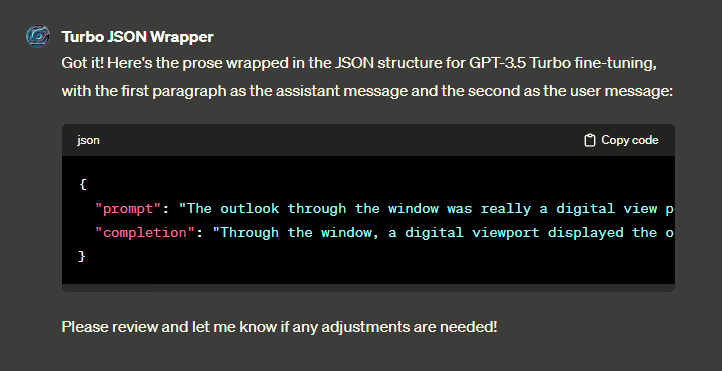
Any text editor works, I used Sublime Text. Just paste each line in until you’ve got all 100 samples. Quick reminder, make sure the text is totally plain without any formatting. You can’t use MS Word or Google Docs because it has to be plain text.
Just for clarification:
- “system message” is your prompt: “you are a copyeditor…”
- “user message” is the text you had AI generate from your original prose
- “assistant message” is your original prose
- pay attention to which “field” your messages are in, else you’ll teach AI to generate bloated prose from your original – which could be fun, but isn’t our goal
The goal is to send the system message, present the bloated prose (as coming from “user”) and teach it (the “assistant”) to produce something that looks like your prose.
I used about 100 samples. All my paragraphs had at least 60 words each.
If you know Python, you can write code to call the GPT API and do it in a batch from a clean txt file of your book. If not, you can use Tinker -> Custom GPT. It just needs a little more time.
Now that you’ve got your samples ready. Go to OpenAI’s fine-tuning site.
Click the green “create” button.

Choose the “GPT-3.5-turbo-1106” as the base model.
Just drag and drop your JSON file.
click “upload and select”.
Click “create”.
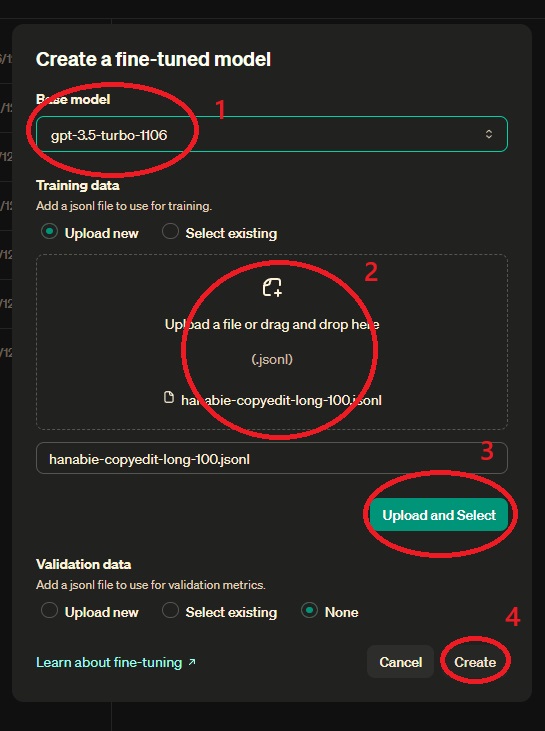
Now the fine-tuning process begins, and OpenAI will email you when it’s done, usually within a few minutes.
When you’re done with that, go ahead and create a rephrase prompt in NC.
Click Prompts.
Click on “Text Replacement” to rephrase (System).
Click on Clone.

Just click the new prompt and go to the Instructions tab.
It’s your turn to create a rephrasing prompt. I have a few options, such as a “pov fixer” that makes the story more personal, or a “dialogue fixer” that focuses on dialogue tags.
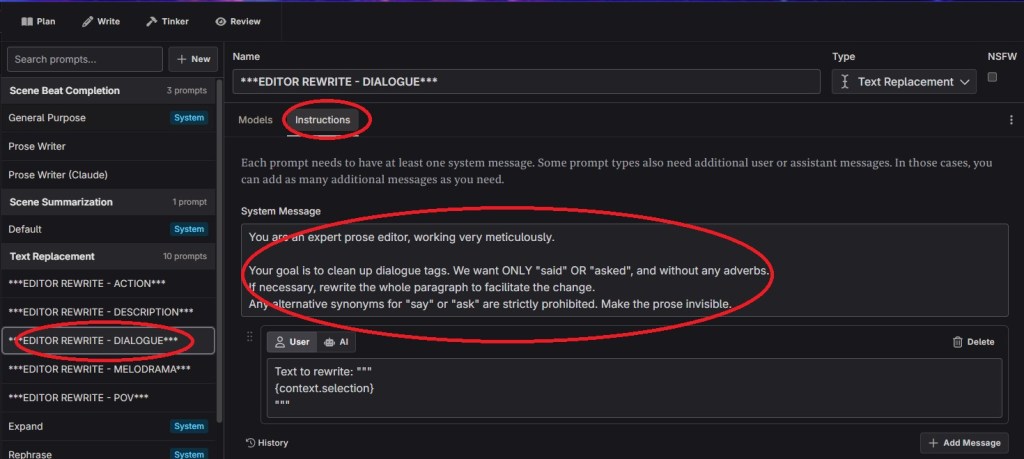
Head over to the models tab and add your new personal fine-tune.
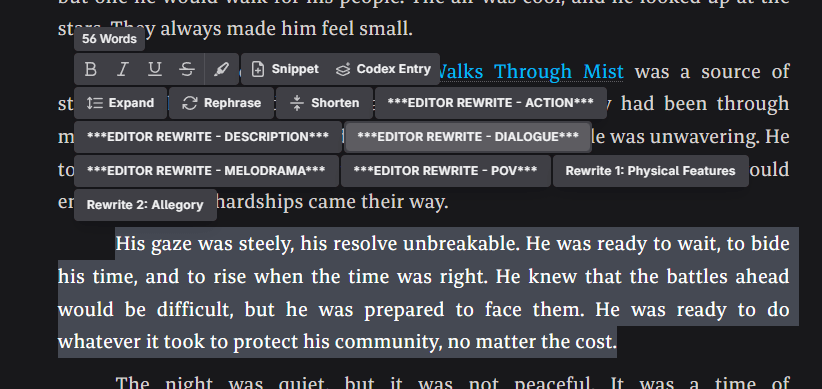
Now you can just pick a paragraph from your text, click the new prompt, and GPT will rewrite it in your voice.
Enjoy!


Thank you!
LikeLike
You’re welcome 🙂
LikeLike