I took a break from writing for a while. Writing with AI was a bit of a slog, and it was gated behind paywalls – pay for a sub to a site like NovelCrafter or SudoWrite, then pay for model output from OpenRouter, OpenAI, Anthropic and the like. And then, if you’re a writer, you’ll take that first draft and work on it until you’re happy with the result. So, in order to get a first draft quickly, you’d still put in a lot of effort, and you’d pay money.
Now things are a bit different. With OpenAI’s o1 models, we have pretty advanced reasoning capabilities. They’re great at logic problems or coding, which is great, but… what can this do for writers?
I decided to try to replicate NC and SW via o1-Mini. I had no idea if this would get me anywhere, but how would I know if I didn’t try? And so I sat down and chatted with GPT 4o about it. I told it what I wanted, roughly: a chat interface, a connection to a locally run LLM, RAG functionality to save char profiles and story summaries, so the model wouldn’t have to write in a vacuum. And GPT 4o, much to my surprise, went to work and wrote a first, very crude program that tests “talking to a local LLM”.
I set up LMStudio and ran Llama 3.1 8b as a server, then GPT’s program via python (GPT walked me step-by-step through the installation process, gave me download links for VS Code etc), and lo, it ran. Here’s what it looked like:
import requests

# Define the URL where your local LM Studio server is running
server_url = "http://localhost:1234/v1/chat/completions"

# Create a sample prompt to send to the server
prompt = {
    "model": "llm",  # This should match your loaded model name in LM Studio
    "messages": [
        {"role": "system", "content": "You are a sci-fi author."},  # System prompt to set context
        {"role": "user", "content": "Write a short scene where a protagonist discovers an alien artifact."}
    ],
    "max_tokens": 200,  # Limit response length
    "temperature": 0.7  # Adjust for randomness
}

# Send the request to LM Studio
try:
    response = requests.post(server_url, json=prompt)

    # Print the response from the model
    if response.status_code == 200:
        print("Model Response:", response.json()["choices"][0]["message"]["content"])
    else:
        print("Failed to connect:", response.status_code, response.text)

except Exception as e:
    print(f"Error connecting to the server: {e}")
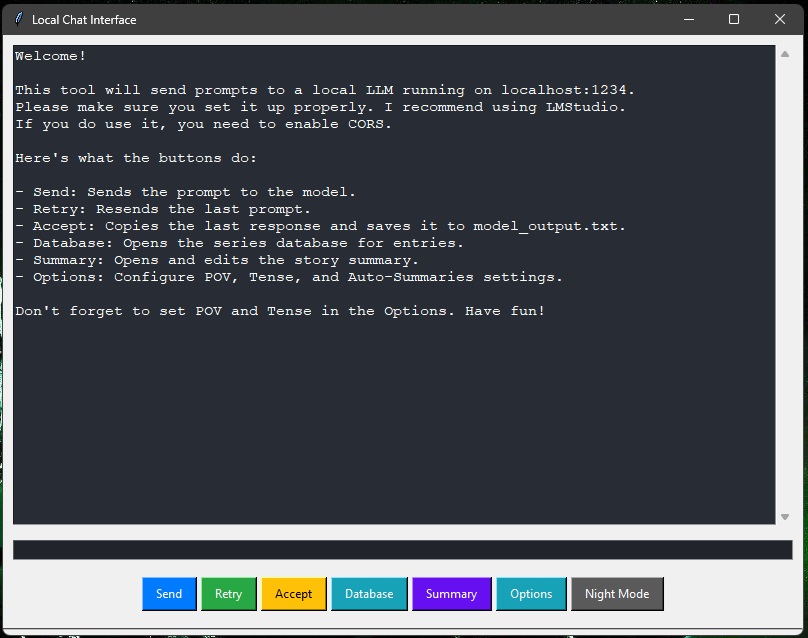
So we went on to create a basic chat, then added features one by one, and it just worked. We added buttons for Retry and Accept, we added a prompt editor, a summary of “what happened so far” that would land in the prompt (at first, you’d have to paste summaries there manually), and a simple database where you could enter character profiles, item descriptions and whatnot – complete with case sensitive parsing of your prompt, so if you had a character profile for John Doe, and you wrote “John Doe” in your prompt, it would put the info in that entry in the prompt, too. This was the first version, and it worked. I posted it on Reddit, on the low-traffic subreddit /r/WritingWithAI. The first version looked like this:
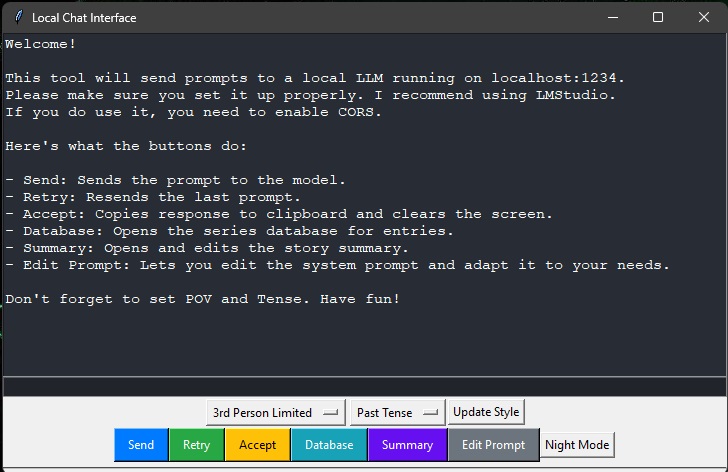
The next day, I decided to add some things, switch some things around… like, I wanted to add an options menu to declutter the window. I wanted to add a summarizer, so I didn’t have to tab between this and ChatGPT. And I wanted save functionality for the text, because few things are as painful as losing something just because you forgot to save it in time. So I went to work, added, chatted with ChatGPT, and the longer the code got, the more the AI began to struggle finding and eliminating bugs and adding new things in ways that didn’t cause problems. Considering how far I’d already come, this was still damn impressive.
I decided to give o1-Preview a chance, showed it the code, gave it the python error message, and it fixed it in one go. Now, o1-Preview has a very strict rate limit of 50 messages per week, so I thought, let’s check o1-Mini, which has 50 messages per day. And o1-Mini was just as good. I showed it my code as introduction and asked it to take a look at it and tell me what it thinks, and it analysed the whole thing, gave me a long list of possible improvements and asked me if I wanted it to implement them.
I slowed it down. We worked through features, got it to do what I needed, made things less clumsy, sorted out the interface to make it usable by a normal person in 2024, and it got it all done. Two days, and I had a program that can do the important things a subscription site with a true coder behind it sells you for a monthly fee. It didn’t cost me anything extra, since I already had my OpenAI sub for other purposes.
Here are some screenshots of what it can do:
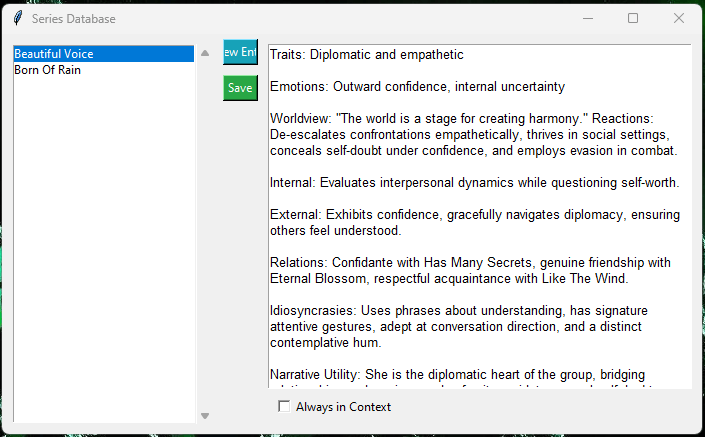
This is the database used to store character profiles and whatnot, basically the “series bible”. See the little radio button down there? You can even have individual entries always in context. If you write a novel in a setting where the characters aren’t humans, you might want the model to know how their body language works. Or maybe you have a very specific style guide you want the model to remember and use, without you having to mention it every time.
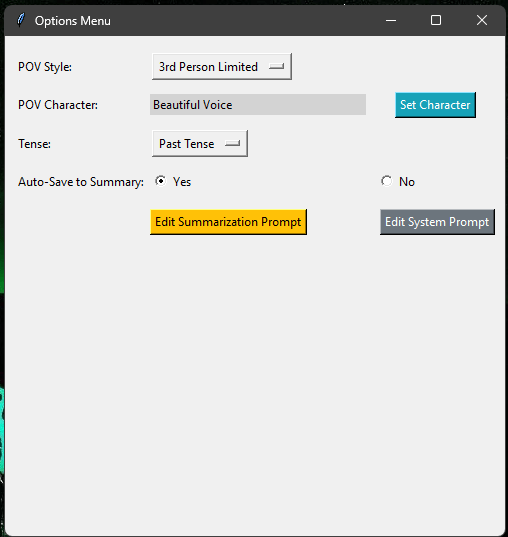
The options menu is basic. You set up the POV style, character, the tense, and if you want the program to save a summary of the model’s output to a file whenever you hit the “Accept” button. This summary would then appear in its own little window, where you can edit it:
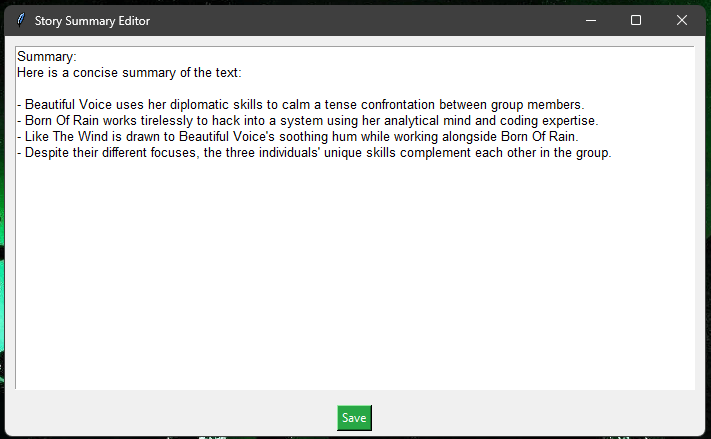
This was a test, the content isn’t relevant here and doesn’t represent an actual story summary, but you get the point: The content of this summary lands in future prompts, and the model will know what happened so far, so you won’t end up with it running in circles, forgetting characters or important plot points and the like.
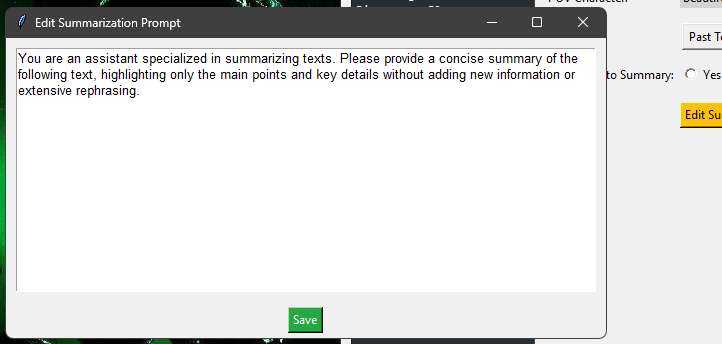
You can change the summarisation prompt to whatever you like. I find customisation extremely important, which is the reason I always avoided SudoWrite like the plague and jumped on NovelCrafter the second it was available. NovelCrafter is great, no doubt. I stole ideas from there shamelessly, and I don’t even feel bad about it: If I can write a tool that can imitate the core functionality, as someone with zero coding skills, in just 2 days, there’s just no excuse for charging money from fellow writers. But I digress.
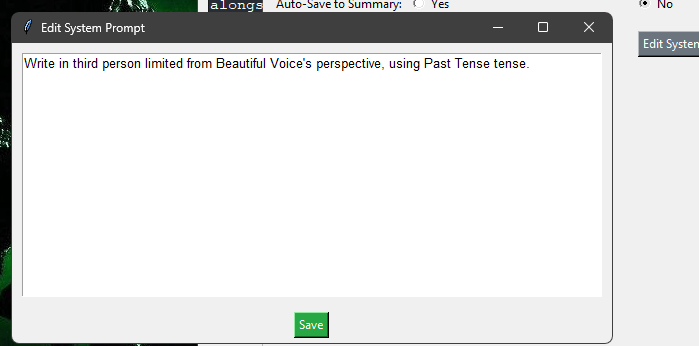
Here’s the system prompt editor. Another thing I find very important. This has to be customisable, or I’ll have to fight it every step of the way. Another reason I never even subscribed to SudoWrite. NovelCrafter does the customisation very well, and it does more of it than I do here with my little tool, and if you want to get down into every minute detail of the settings of the AI you’re using, NC is your product to use.
And then there is…
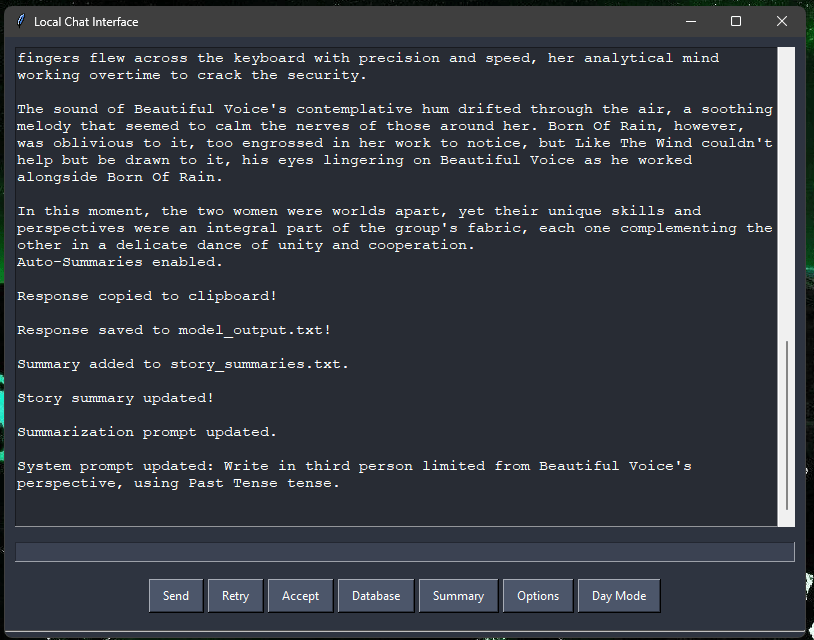
Night Mode!

And the slightly more colourful Day Mode. For longer sessions, I find it nice to have a way to reduce eye strain.
And that’s it! You can get it here, it’s a python script. Copy and paste it into ChatGPT and ask it how to make an exe out of it, and it will tell you. Ask it to check it for malicious code, or to change some features (in case you want to swap the colours of the “retry” and “accept” buttons, or whatever).
Sooo, anyway, here’s the link to the file on Google Drive. I’m not a coder, like I said, so I won’t do all the github stuff I should probably do. I hope you enjoy using it as much as I do.
See you next time!
 A. Omukai